
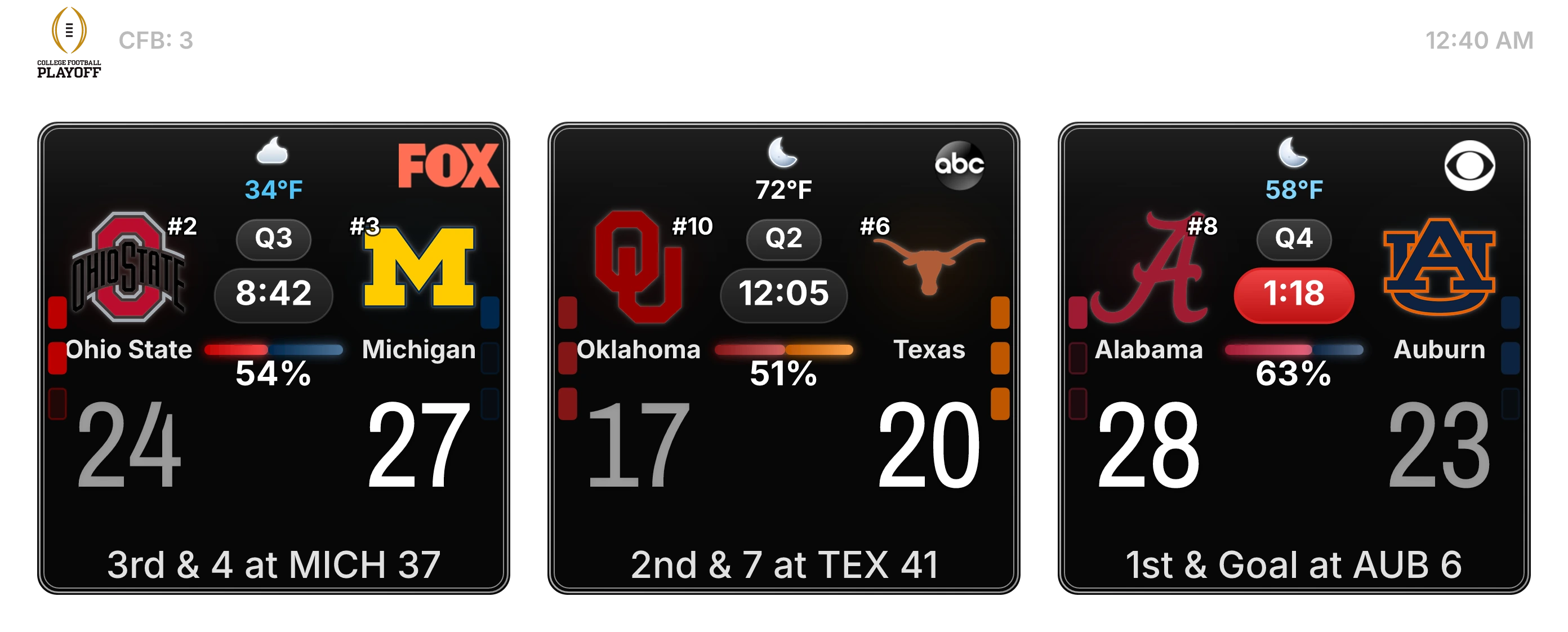
Your mods stop building schedule images, refreshing scoreboards, and recapping finals by hand. CFBCBot posts the slate, keeps the Live Score Grid live all game, and turns every final into a clean record.
Battle-tested every game day in a 29,000+ member sports Discord.
Early access pricing: $4.99/month for one Discord server. Card required — cancel before day 14 and you are never charged. Support replies within 3 hours.
Supported sports
The current paid lineup
CFB, CBB, College Baseball, NFL, NBA, NHL, and MLB.






One server. Three automatic lanes.
Schedule before the slate. Live Score Grid during active windows. Final record when games close. /score fills in the single-game detail.
One rhythm, four game-day posts
- 01Schedule recordThe schedule/final package starts with upcoming games and becomes the record as final scores arrive.
- 02Live Score GridA dedicated scoreboard-channel post refreshes near live around supported game windows with score, clock, and possession.
- 03General posterA separate five-minute Live Score Grid poster keeps #general engaged without burying the constantly edited live board.
- 04/score snapshotsMembers can still pull a full-featured historical card when they want one completed game in detail.
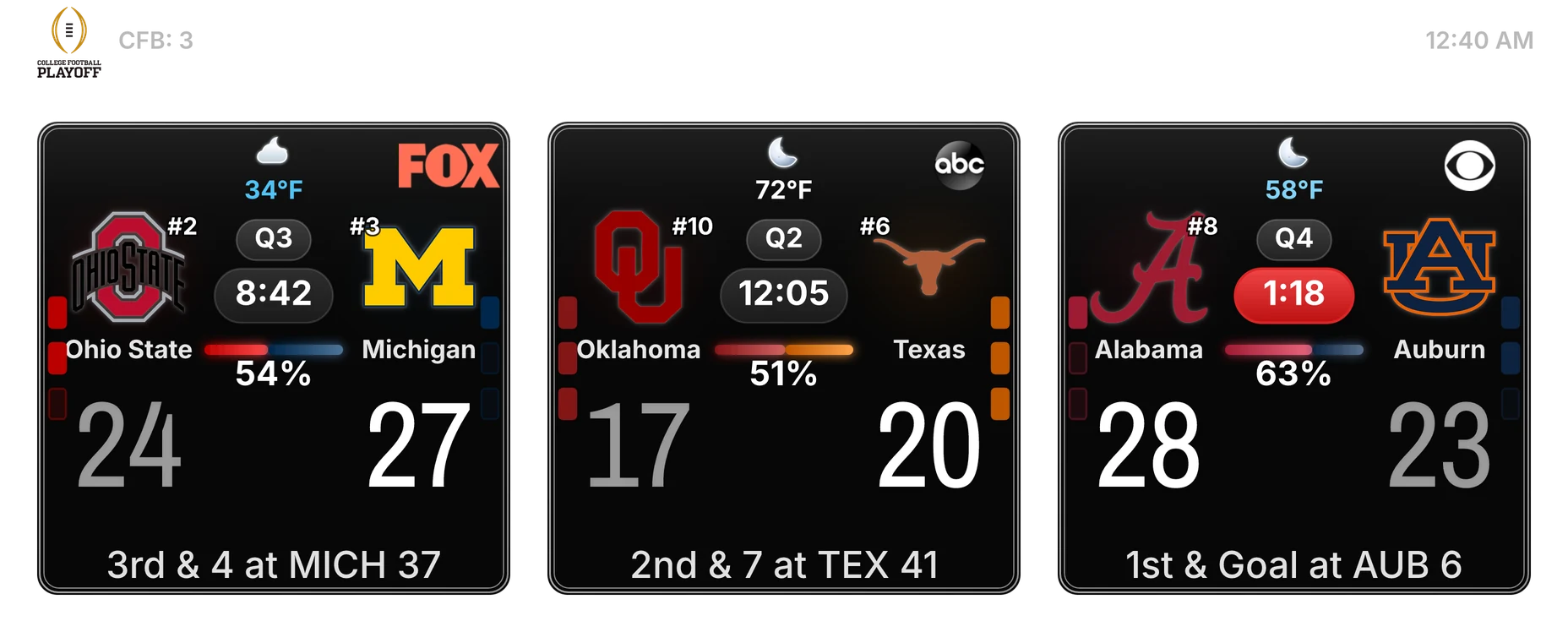
Live Score Grid
One scoreboard-channel post keeps score, clock, possession, and game state current without chasing chat.
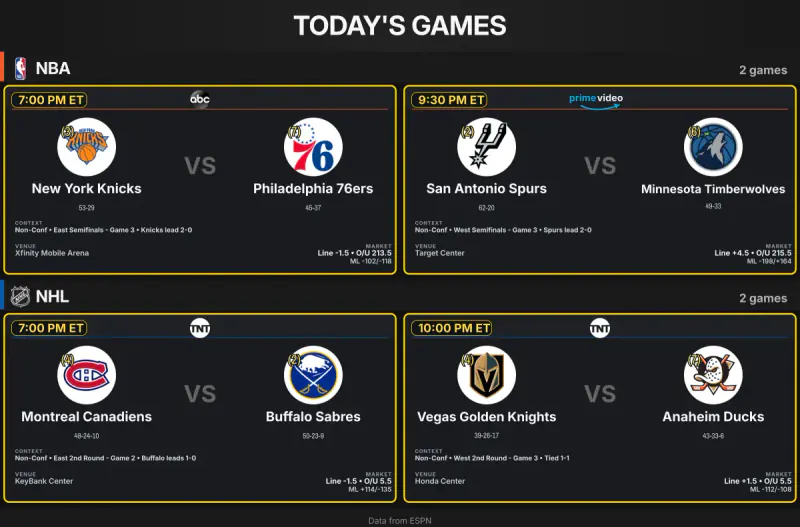
Schedule/final package
Schedule record
The slate lands before the games: matchups, times, context, broadcasts, and venue details.
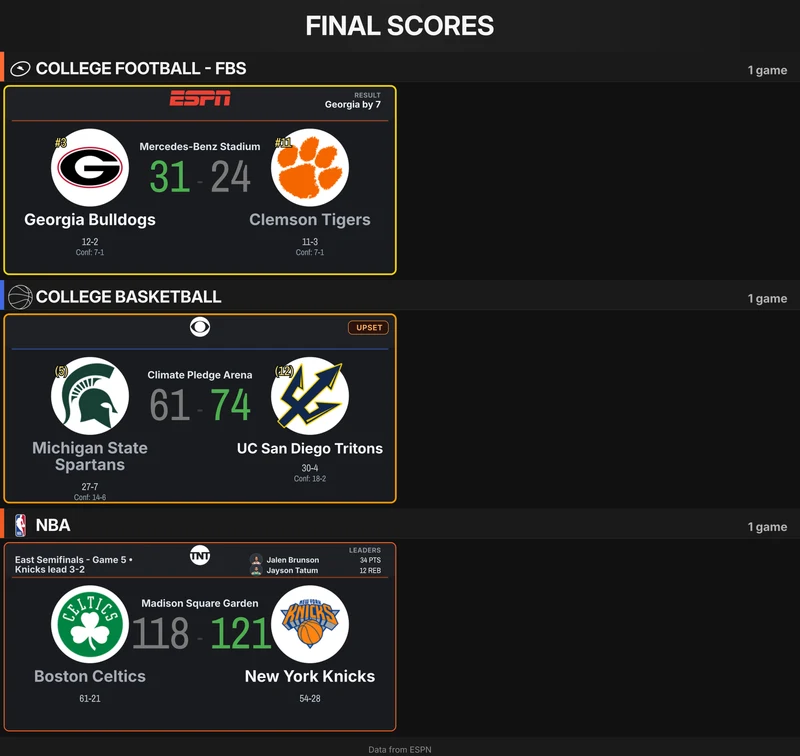
Schedule/final package
Final record update
The schedule becomes the record as final scores close the day.
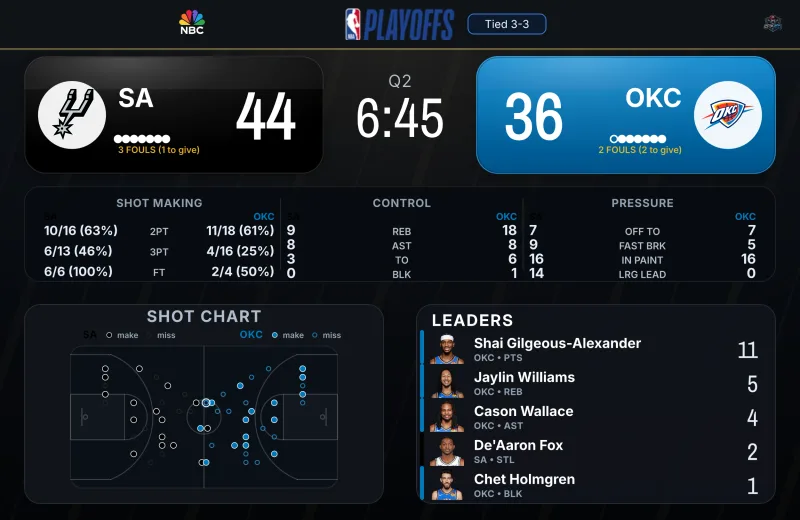
Full-featured /score
Live /score deep dive
When someone wants one game, /score gives the richer card: score, clock, stats, leaders, and sport-specific detail.
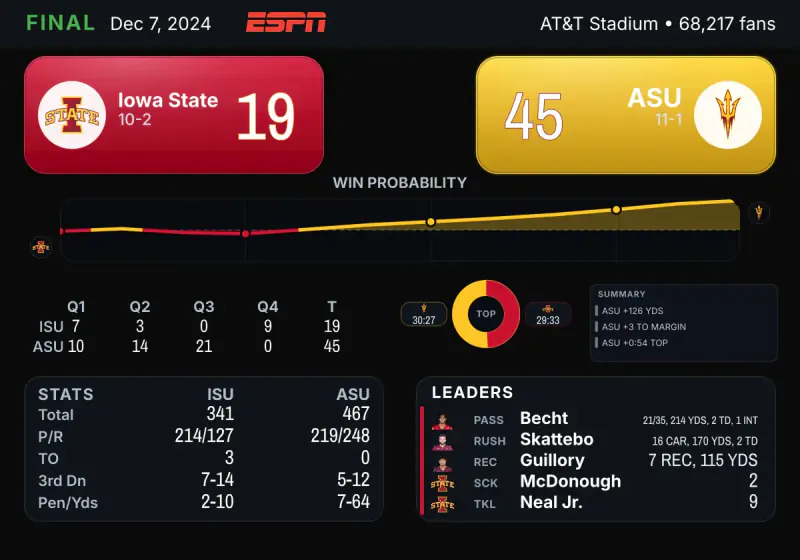
Full-featured /score
Historical /score snapshot
Historical lookups keep context intact: final score, win probability, line score, stats, possession, and leaders.
Game day
Built for servers that live in the game-day thread
Live Score Grid
One edited board carries the live slate without forcing fans to scroll for scores.
Schedule record
The same lane starts as the daily slate and closes as the final record.
Rankings autoposter
AP Top 25 posts update for college football, basketball, and baseball in the channels you choose.
/score snapshots
Members can pull one live, recent, or historical game when the thread wants detail.
Live Score Grid delivery for a dedicated scoreboard channel
General 5-minute Live Score Grid poster for the main sports chat
Schedule and final record posts for configured channels
AP Top 25 rankings autoposter for college football, basketball, and baseball
Server-wide subscription for one Discord server
Live, recent, and historical /score snapshots
/setup guidance and /scoreboard controls for routing, pausing, and testing delivery
Clear limits, useful defaults, direct support.
Paid early access with clear expectations: near-live boards depend on provider feeds, supported sports are listed up front, and setup help comes through Discord or email.
Scoreboard cadence
Live Score Grid refreshes near-live when provider feeds are available. The general 5-minute poster shares that image on the slower main-chat cadence. They are not official scoring clocks or betting tools.
Supported sports
Supported sports are CFB, CBB, College Baseball, NFL, NBA, NHL, and MLB before expanding into more sports or bot features.
Setup support
Early-access customers get direct setup help through Discord support or email.
Early-access roadmap
The near-term roadmap is reliability, clearer dashboard controls, and better sport-by-sport delivery visibility.
Connect. Choose. Install. Route. Test.
- 1Connect DiscordUse the account that owns the server or can manage it.
- 2Choose the serverThe trial, install link, dashboard, and delivery settings stay tied to one selected server.
- 3Install, route, testInstall CFBCBot, run /setup, route each post lane, then use /scoreboard test before game day.
Route each game-day lane
One-server subscription and setup state
Active/setup next action mirrored in the dashboard
ActiveSeparate Live Score Grid and general 5-minute poster channels
ActiveSchedule and final record posts as one lane
ActiveRankings autoposter for AP Top 25 (CFB, CBB, college baseball), one channel or per sport
Active/score for live, recent, and historical snapshots
ActiveSport routing for CFB, CBB, college baseball, NFL, NBA, NHL, and MLB
ActivePermission and reconnect recovery when Discord access changes
ActiveChannel
#scoreboard
Channel
#general
Channel
#schedule
Routing takes about five minutes. The trial is free for 14 days.
Battle-tested every game day in a 29,000+ member sports Discord.
Admin essentials
Docs
Setup, commands, billing, and channel permissions.
Support channel
Discord support for setup, delivery, billing, and permissions.
Required permissions
View Channel, Send Messages, Attach Files, and Embed Links in delivery channels.
Cancel anytime
Monthly subscription with billing handled through Stripe Customer Portal.
FAQ
Common questions
What happens when no games are live?
Schedule and final record posts still cover the configured slate. Live Score Grid and the general 5-minute poster wait for active game windows and supported provider feeds.
What is the update cadence?
Live Score Grid updates about every 30-45 seconds when provider feeds are active. The general 5-minute poster shares the Live Score Grid image on a slower cadence for chat visibility. Schedule and final record posts update as tracked games tip off and finish.
Can game-day posts go to different channels?
Yes. Live Score Grid, the general 5-minute poster, and schedule/final records can each be routed inside the selected server. Live Score Grid and general 5-minute poster channels must use different channels.
Which sports are supported?
Supported sports are college football, college basketball, college baseball, NFL, NBA, NHL, and MLB for the paid customer product.
Does CFBCBot post poll rankings?
Yes. The rankings autoposter posts AP Top 25 updates for college football, college basketball, and college baseball. Route every sport to one channel or give each sport its own channel from the customer dashboard.
Do I need admin access to install it?
The Discord account used for setup needs Manage Server or Administrator access so CFBCBot can confirm the server and unlock installation.
Put the Live Score Grid, general 5-minute poster, and schedule record in the right channels.
Battle-tested every game day in a 29,000+ member sports Discord.